
Corsair Cove · Setups · Platform
Corsair Cove System Requirements - Both Tiers and the Achievement Guide
Corsair Cove system requirements: the Windows 10 64-bit minimum and recommended tiers, the 30 GB install, DirectX 12 and the SSD note in the listing.
By the Gamebase team · Updated 2026-10-06
On this page (11)
- The published minimum
- The recommended tier as published
- What the requirement text leaves out
- How the tiers translate into practice
- Demo before you commit
- Where to go next
- What are the minimum requirements for Corsair Cove?
- What are the recommended requirements?
- Is an SSD required?
- Does it need DirectX 12?
- Are macOS requirements published?
Corsair Cove publishes two Windows 10 64-bit tiers, both requiring DirectX 12, 30 GB of storage and a recommended SSD. The memory step between the tiers is the biggest difference at 8 GB to 16 GB.
The published minimum
| Requirement | Minimum |
|---|---|
| Operating system | Windows 10 (64-bit) |
| Processor | Intel Core i7-7700 / AMD Ryzen 5 1600 |
| Memory | 8 GB RAM |
| Graphics | Nvidia GTX 1660 Super 6 GB / AMD RX 5600 XT 6 GB |
| DirectX | Version 12 |
| Storage | 30 GB available space |
| Additional notes | SSD recommended |
Both minimum graphics cards are 6 GB parts, which is a fairly specific floor for a management game and reflects the size of the island and production assets.
The recommended tier as published
- Operating system: Windows 10 64-bit.
- Processor: Intel Core i5-9600K / AMD Ryzen 5 3600.
- Memory: 16 GB RAM.
- Graphics: Nvidia RTX 2070 8 GB / AMD RX 6600 XT 8 GB.
- DirectX: version 12.
- Storage: 30 GB available space, SSD recommended.
The processor naming is interesting: the recommended Intel part is an i5 where the minimum is an i7, which reflects generation rather than core count. Storage is unchanged between tiers.
What the requirement text leaves out
- No macOS or Linux requirement list, since neither platform is listed.
- No resolution or frame-rate targets on either tier.
- No Steam Deck compatibility status.
- No network requirement, matching a single-player tag list.
- No achievement guide notes, since none is published.
The absence of resolution targets matters most for a builder with large production areas, because draw distance and population size are the usual performance pressures and the listing does not quantify either.
How the tiers translate into practice
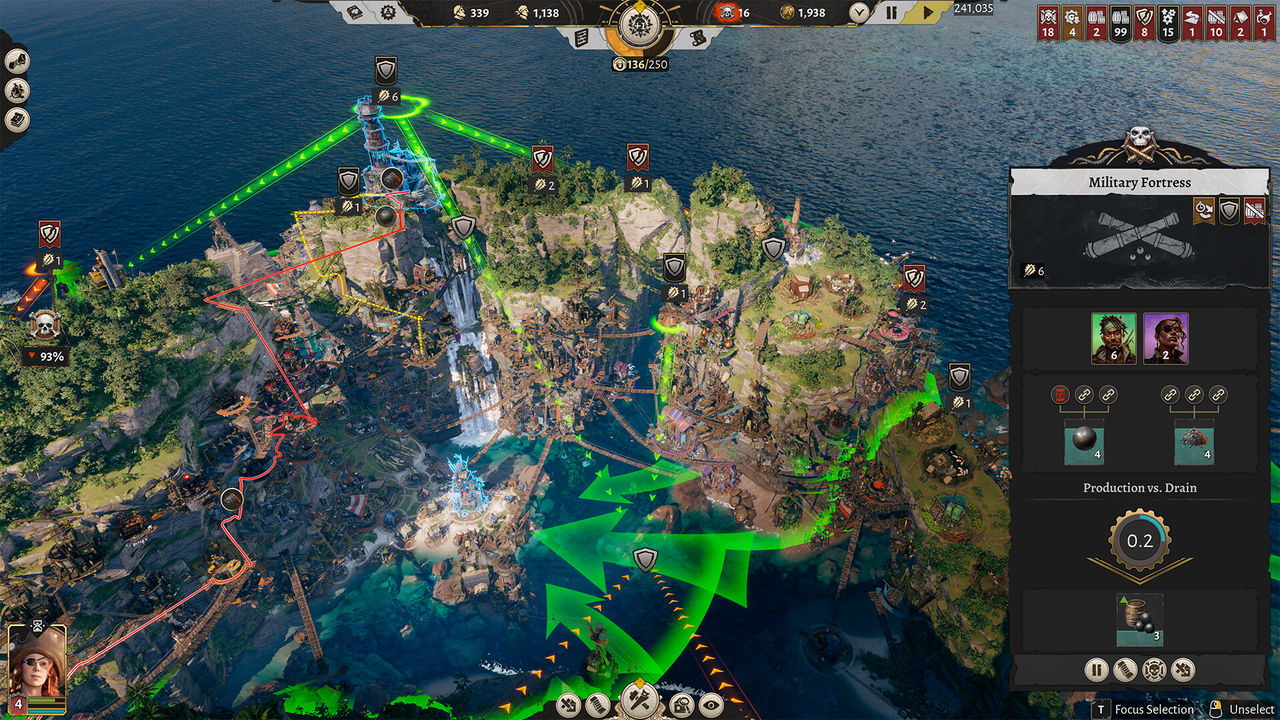
A machine meeting the minimum runs an i7-7700 with 8 GB of RAM and a 6 GB graphics card, which describes a competent 1080p build rather than a low-end one. The recommended tier doubles the memory and moves to 8 GB graphics cards, which is the configuration to aim for if the settlement is going to be large.
DirectX 12 on both tiers is the hard cutoff: a system that only supports DirectX 11 cannot run the game regardless of raw power. The listing gives no alternative path around that.
Demo before you commit
Because a demo is listed as its own app, 3858730, the requirements can be tested against real hardware before buying rather than inferred from the table above. That is a genuine advantage over the other releases in this batch, most of which list no demo at all.
If the demo runs comfortably at the settings you want, the published tiers are unlikely to surprise you. Nothing in the store data connects demo performance to the retail build, so the comparison is practical rather than guaranteed.
Where to go next
The platform picture is on Availability, the systems are on How It Plays, and the beginner route is on New Player Guide.
FAQ
What are the minimum requirements for Corsair Cove?
Windows 10 64-bit, Intel Core i7-7700 or AMD Ryzen 5 1600, 8 GB RAM, Nvidia GTX 1660 Super 6 GB or AMD RX 5600 XT 6 GB, DirectX 12 and 30 GB of storage.
What are the recommended requirements?
Windows 10 64-bit, Intel Core i5-9600K or AMD Ryzen 5 3600, 16 GB RAM, Nvidia RTX 2070 8 GB or AMD RX 6600 XT 8 GB, DirectX 12 and 30 GB of storage.
Is an SSD required?
The listing recommends an SSD on both tiers but does not make it a requirement.
Does it need DirectX 12?
Yes. Both tiers list DirectX version 12, so a DirectX 11-only system does not meet the published specification.
Are macOS requirements published?
No. Only a Windows build is listed, so no other platform has a requirement text.
References
- Steam store page — Corsair Cove
- Steam appdetails API (cc=us, l=en) — Corsair Cove
- Steam news hub — app 1368140
Facts on this page are compiled from the references above. Items marked "to confirm" are single-source and not yet verified.