
Honeycomb: The World Beyond · Setups · Platform
Honeycomb: The World Beyond System Requirements - How to Graft and Set Up
Honeycomb: The World Beyond system requirements: the published Windows minimum and recommended tiers, the 40 GB install and how to graft once the game runs.
By the Gamebase team · Updated 2026-10-06
On this page (11)
- The published minimum, row by row
- The recommended tier as published
- What the requirement text leaves out
- How to graft and set up the client
- Practical setup notes
- Where to go next
- What are the minimum requirements?
- Is there a recommended specification?
- How much disk space is needed?
- Does it need a 64-bit system?
- Is there a macOS requirement list?
Honeycomb: The World Beyond publishes both a minimum and a recommended tier, and both ask for 40 GB of storage and a 64-bit system. The differences sit in the processor, memory and graphics lines, and the recommended tier also asks for a faster drive.
The published minimum, row by row
| Requirement | Published value |
|---|---|
| Operating system | Windows 10 or later, 64-bit |
| Processor | AMD Ryzen 5 3600 |
| Memory | 8 GB RAM |
| Graphics | RX 6500 8GB or NVIDIA GTX 1660 |
| DirectX | Version 11 |
| Storage | 40 GB available space |
| Additional notes | SATA SSD |
Two lines stand out. The graphics line names an 8GB card, so video memory matters even at the minimum, and the additional note asks for a solid state drive rather than just free space.
The recommended tier as published
The recommended block moves the operating system to Windows 11, the processor to an Intel i5 9600k or Ryzen 5 5600x, memory to 16 GB, and graphics to 8GB VRAM with an RTX-2070 or Radeon RX 6700.
Storage stays at 40 GB, but the note changes from a SATA SSD to an NVME SSD. DirectX moves from version 11 to version 12, which is the clearest technical signal that the recommended tier is the intended experience.
What the requirement text leaves out
- No resolution or frame-rate target on either tier.
- No mention of Steam Deck verification or compatibility.
- No note on how the open-world size affects the load.
- No Linux or macOS list, because no such build is listed.
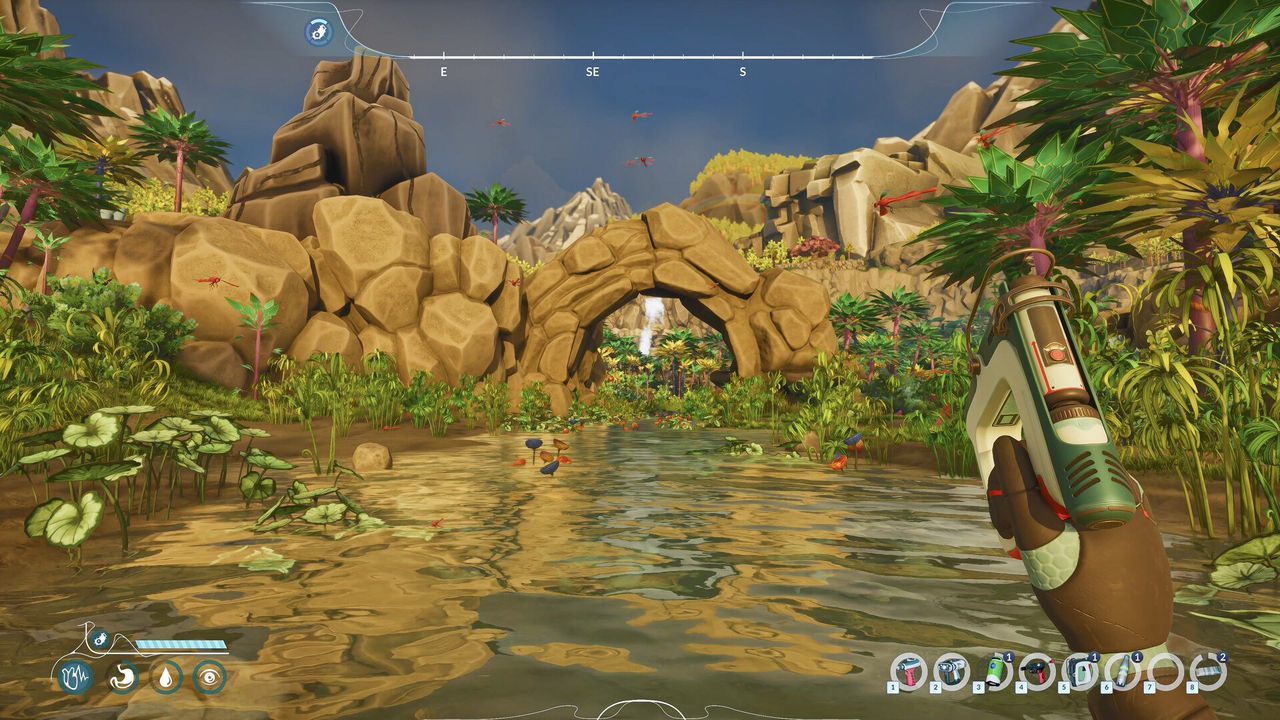
The absent frame-rate target is the most practical gap, because the game is built around movement and scanning across large biomes, and neither tier says what those biomes should look like in motion.
How to graft and set up the client
The bioengineering system is part of the base game rather than a separate install. The store listing names Crossbreeding as one of the three feature blocks, so a machine that runs the game runs the mechanic, and no pack is needed to reach it.
The candidate bottleneck for a player interested in that system is the drive note: the recommended tier asks for an NVME SSD, and the listing gives no measured reason for it.
Practical setup notes
The safest reading of the two tiers is to treat the graphics line and the drive note as the real bars. A machine with 8 GB of RAM and a GTX 1660 sits exactly on the published minimum, with no published margin above it, and the recommended tier doubles memory and moves to DirectX 12.
Because no frame-rate target exists, there is no official measure of what that minimum actually feels like in an open world. What the listing does say is that both tiers name a solid state drive, so mechanical storage is the one configuration the page rules out.
Where to go next
The platform picture is on Availability, the systems behind the experiments are on How It Plays, and the beginner route is on New Player Guide.
FAQ
What are the minimum requirements?
Windows 10 64-bit, an AMD Ryzen 5 3600, 8 GB RAM, an RX 6500 8GB or NVIDIA GTX 1660, DirectX 11 and 40 GB on a SATA SSD.
Is there a recommended specification?
Yes. Windows 11 64-bit, an Intel i5 9600k or AMD Ryzen 5 5600x, 16 GB RAM, an RTX-2070 or RX 6700 with 8GB VRAM, DirectX 12 and 40 GB on an NVME SSD.
How much disk space is needed?
40 GB available space on both the minimum and the recommended tier.
Does it need a 64-bit system?
Yes. Both tiers name a 64-bit operating system.
Is there a macOS requirement list?
No. A Windows build is listed and the requirement text covers that build only.
References
- Steam store page — Honeycomb: The World Beyond
- Steam appdetails API (cc=us, l=en) — Honeycomb: The World Beyond
- Official site (Frozen Way) — Honeycomb: The World Beyond
- Steam news hub — app 1510440
Facts on this page are compiled from the references above. Items marked "to confirm" are single-source and not yet verified.