
Professional Ship Simulator · How It Plays · Guide
Professional Ship Simulator Gameplay - Tutorial Systems and Ship Handling
Professional Ship Simulator gameplay facts: the tutorial path, the hydrodynamic systems, radar and sonar, hull damage and the nine published ships.
By the Gamebase team · Updated 2026-10-06
On this page (11)
- The systems the listing names
- Environment and weather
- Traffic and harbour operations
- The tutorial and mission loop
- Damage, mooring and the limits of the listing
- Where to go next
- How does ship handling work?
- Is there a career mode?
- What navigation tools are simulated?
- How many ships can you command?
- Can ships be damaged?
Professional Ship Simulator plays as a systems-driven maritime simulation: you take a helm, read the environment and handle the ship yourself. The store listing names the forces it models and the tools you use, and it is deliberately specific about both.
The systems the listing names
The published simulation layer reads like a feature list written by a simulator player. Propeller torque, bank effect, wind and current drift, anchor behaviour and line tension are all named, and the ships are said to react physically to their environment.
On board, the listing covers power generation and transmission, radar with AIS and CPA, sonar and radio communication. Hull damage and flooding are modelled, and mooring and towing are interactive, with wing control stations named for larger vessels.
Environment and weather
Conditions are a mechanic here rather than a backdrop. The listing describes moving storm fronts, wind, currents and sea states including fog, rain, snow and rough seas, all of which change how a ship handles.
| Published condition | Effect named on the listing |
|---|---|
| Storm fronts | Moving weather systems to track |
| Wind | Drift that must be corrected |
| Currents | Navigation that shifts with the water |
| Sea states | Roll, speed and stability changes |
| Fog, rain, snow | Reduced operating conditions |
| Day and night cycle | Continuous changing light |
Real-time weather data is optional and described as such, which means the default is the simulated cycle rather than a live feed.
Traffic and harbour operations
The sea is not empty. AI traffic moves through open-water shipping lanes and dense harbour operations, which the listing frames as the source of constantly changing navigation challenges. Over 40 harbours are named, along with seamarks, navigation lights and harbour activity.
That density matters for the tutorial path, because a first mission in a busy port teaches the collision-avoidance side of the sim before any long passage does.
The tutorial and mission loop
Progress is described in one sentence on the store page: start with guided tutorials or take on structured missions to earn credits, expand your fleet and acquire licences. The loop therefore has three named currencies of progress: credits, ships and licences.
Nothing else about it is published. There are no mission names, no payment figures, no licence tiers and no failure states described, so the loop can be stated but not mapped.
Damage, mooring and the limits of the listing
Hull damage and flooding are listed, which makes grounding and collision consequential rather than cosmetic, and mooring and towing are interactive systems rather than cutscenes. Wing control stations on larger vessels are the one piece of interior detail the listing gives.
The store page names no multiplayer mode, no shared-save feature and no mod format beyond calling the map system tile-based and moddable. Those gaps are the listing's own, and this page leaves them open rather than filling them from the genre.
Where to go next
The beginner route is on New Player Guide, the platform and requirement facts are on Setups, and the condensed numbers are on the Cheat Sheet.
FAQ
How does ship handling work?
The store text lists propeller torque, bank effect, wind and current drift, anchor behaviour and line tension as modelled forces.
Is there a career mode?
The listing describes tutorials or structured missions, then credits, an expanding fleet and licences.
What navigation tools are simulated?
Radar with AIS and CPA, sonar and radio communication are all named on the store page.
How many ships can you command?
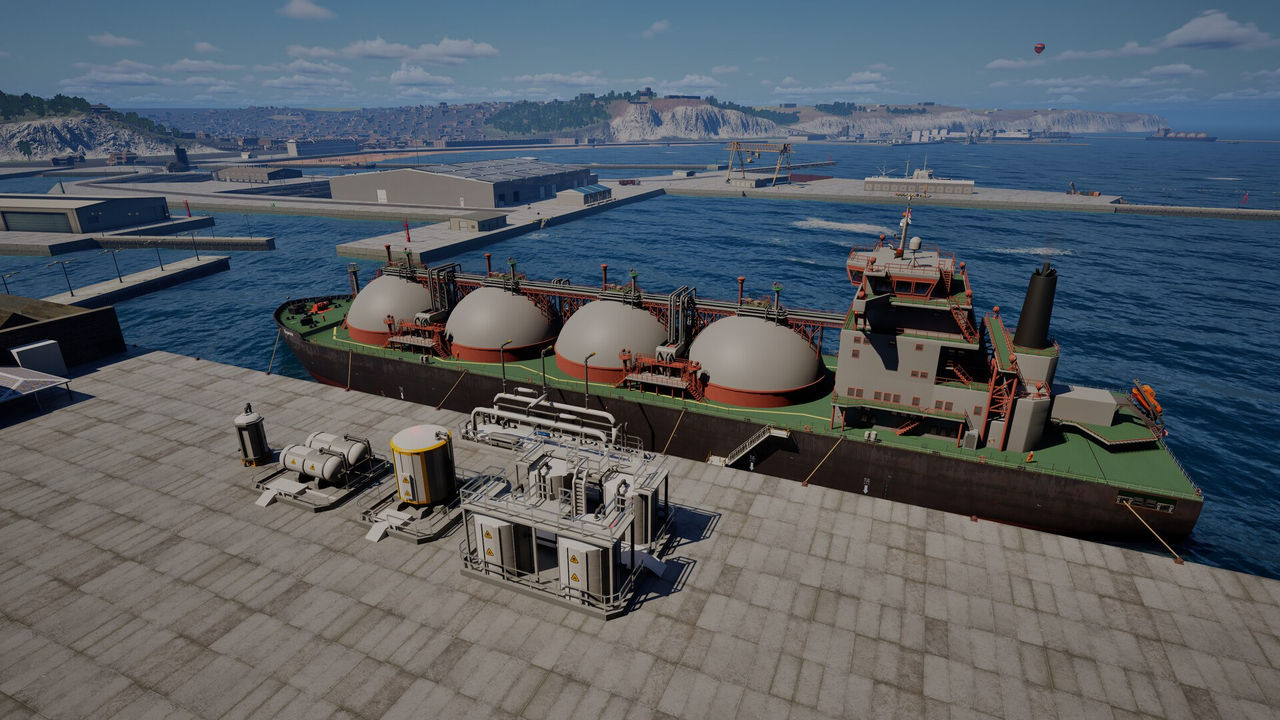
Nine ship types are named in the store text, from a tugboat to an LNG tanker and cruise ship.
Can ships be damaged?
Yes. Hull damage and flooding are both listed, along with mooring and towing interaction.
References
- Steam store page — Professional Ship Simulator
- Steam appdetails API (cc=us, l=en) — Professional Ship Simulator
- Developer site (NauticXP / SWE Systems) — Professional Ship Simulator
- Steam news hub — app 3636930
Facts on this page are compiled from the references above. Items marked "to confirm" are single-source and not yet verified.